That little in so many Instagram bios is not actually an emoji at all — and once you know why, the mystery boxes on your screen finally make sense.
A few months ago, a friend showed me his phone bio with pride: a neat row of icons ending in the Apple logo.
On his iPhone it looked sleek. Then another friend opened the same profile on her Android phone and squinted:
“Why does your bio have an empty box and a question mark in it?” Same profile, two completely different views.
If you have ever seen a blank square where an Apple logo should be — or wondered why you cannot find the “apple logo emoji” on your keyboard — this article is your answer.
The truth is a little nerdy, genuinely interesting, and it comes with simple fixes for every device.
What does apple logo emoji mean?
Here is the honest part first: the Apple logo symbol is not an official emoji. It does not appear in the Unicode emoji list, and you will never find it in any emoji keyboard. What it actually is:
a special character living in the Private Use Area of Unicode, at code point U+FAFF. Decades ago, Apple’s fonts placed the company logo at that private slot so Mac documents could display it.
Apple’s devices still honor that tradition — iPhone’s, iPad, and Macs render as the bitten-apple logo.
Every other system is free to do whatever it wants with that private code, and most do nothing at all, which is why Android and Windows users see a blank space, an empty box, or a question mark.
People use it to signal “I’m an Apple user,” to decorate tech bios, or to reference Apple products — Pay, Music, an iPhone — in a compact way. It is less an emoji and more a secret handshake between Apple devices.
How to use the apple logo emoji
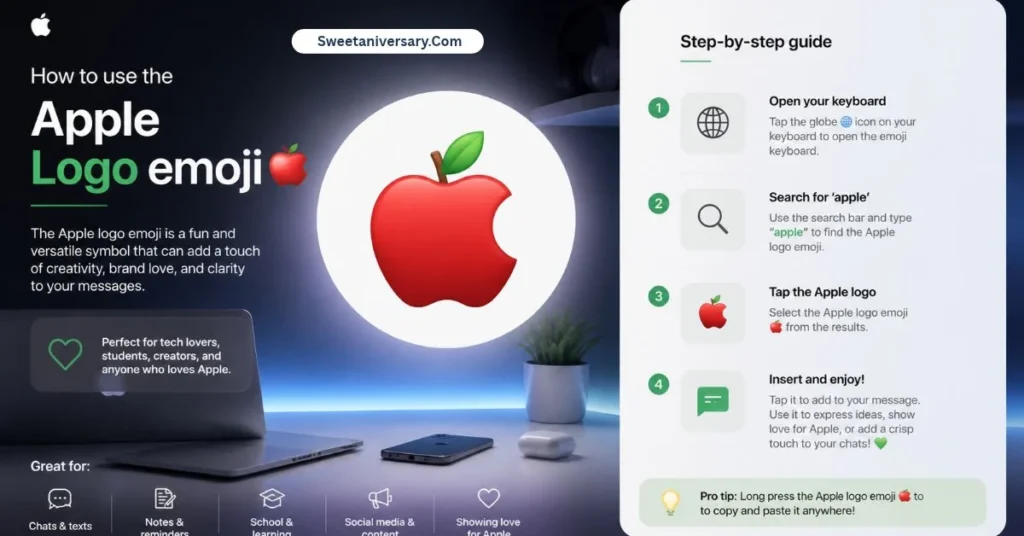
Since there is no keyboard button for it, you need one of these methods:
On iPhone and iPad (best method — set it once, use forever):
- Copy this symbol:
- Go to Settings → General → Keyboard → Text Replacement → +
- Paste in the Phrase field, and type a shortcut like
aplogoin the Shortcut field - From now on, typing
aplogooffers you the logo
On Mac: Place your cursor and press Option + Shift + K (⌥ ⇧ K). The logo appears instantly in most apps.
On Windows and Android: Copy from this page and paste it — but remember, many non-Apple screens (possibly including your own) will show a box instead. For anything public, the safer choice is 🍎 or 🍏.
| Device | How to type it | Does it display? |
|---|---|---|
| iPhone / iPad | Text Replacement shortcut | Yes, perfectly |
| Mac | Option + Shift + K | Yes, perfectly |
| Windows PC | Copy and paste only | Usually a blank box |
| Android | Copy and paste only | Usually blank or missing |
| Older / other systems | Copy and paste only | Often a “tofu” □ box |
Quick copy zone — tap and copy:
Best emoji combinations for copy paste
- 📱 — proud iPhone user
- 💻 ✨ — Mac setup vibes
- 🎧 — AirPods in, world out
- 📸 — “Shot on iPhone” caption starter
- 🍎 📱 💻 — the Apple family, visible on every device
- 🍏 😏 — the Android friend’s reply
- ⌚ ❤️ — Apple Watch and health tracking
- 🍎 ✨ 📚 — back-to-school Apple energy (works everywhere)
Notice the trick: whenever your audience mixes iPhone and Android, build combos around 🍎 and 🍏, which are real emojis and render beautifully for everyone.
Aesthetic emoji ideas for social media
The lives almost entirely in bios. Tech creators line it up with their gear list — “ 📱 16 Pro | 💻 M-series | ⌚ Ultra” — creating that clean, showroom look. Minimalist accounts use a lone as a divider between bio lines, and “Shot on iPhone” photographers tuck it into captions as a signature.
On WhatsApp, Apple-user groups sprinkle it into group names, and on TikTok it appears in desk-setup and unboxing videos’ captions. The aesthetic is premium and understated — one small logo instead of a sentence about your phone.
Just remember the golden rule of this symbol: it is a treat for Apple-only audiences. The moment your post travels to mixed devices, swap in 🍎 so nobody stares at a mysterious empty box.
Common problems and solutions
Problem: My friends see a blank box instead of the logo. Their device has no Apple font, so the private code U+F8FF renders as nothing. Solution: for public posts, replace with 🍎 (red apple) or 🍏 (green apple) — real emojis that work everywhere.
Problem: I cannot find it on my emoji keyboard. You never will, because it is not an emoji — it is a font character. Solution: use the iPhone Text Replacement trick or the Mac shortcut above.
Problem: It vanished after I switched apps or updated. Some apps use their own fonts that lack the glyph. Solution: test it in Notes first; if it breaks in a specific app, screenshot the text or use 🍎 there.
Problem: It prints as a weird symbol on paper. Many printer fonts skip private-use characters. Solution: for documents, type the word “Apple” or insert an actual image instead.
Problem: A website shows “?” where my logo was. The site’s database or font dropped the private character. Solution: avoid in usernames, forms, and anything stored on servers you do not control.
Trending emoji usage in 2026
Every iPhone launch season, searches for the “apple logo emoji” spike all over again, and 2026 is no different — new owners rush to decorate their bios, then flood forums asking why their Android friends see boxes.
The symbol has settled into a stable role: a quiet flex inside Apple-only spaces like message groups, fan accounts, and creator bios.
At the same time, a playful counter-trend has grown: Android users ironically decorating their profiles with 🍏 and teasing the box-seeing situation, turning a font limitation into an in-joke between platforms.
And despite yearly rumors, Unicode’s position has not changed — brand logos are not accepted as new emojis, so will remain a private-use glyph, not an official emoji, for the foreseeable future.
It is less a flaw than a quirk of digital history that still works beautifully — as long as your audience is holding an Apple device.
FAQs
Is the Apple logo an official emoji?
No. It is a private-use character (U+F8FF) built into Apple fonts. It is not part of the Unicode emoji set and has no emoji keyboard button.
How do I get the Apple logo on iPhone?
Copy , then create a Text Replacement shortcut in Settings → General → Keyboard. After that, your shortcut types the logo anywhere.
Why can’t Android users see ?
Android fonts do not include Apple’s private glyph, so the code shows as a blank space, a box, or a question mark on most Android phones.
What is the Apple logo character code?
U+F8FF, in Unicode’s Private Use Area. That private status is exactly why only Apple devices display it consistently.
What can I use instead of the Apple logo?
🍎 red apple and 🍏 green apple are proper emojis that display on every platform, and most readers instantly understand the Apple reference.
Conclusion:
The Apple logo 🍎 is a popular symbol for Apple fans, technology lovers, and creative social media users.
Whether you’re sharing your love for Apple devices, creating Instagram captions, updating your Whats-app status, or designing tech-themed posts, Apple-inspired symbols can add a stylish touch to your content.
You can also combine 🍎 with 📱, 💻, and ✨ to create fun, eye-catching combinations.
Looking for the Apple logo symbol to copy and paste? 🍎📱 Explore our collection of Apple-inspired symbols, emoji combinations, and creative ideas to make your posts stand out.
Find your favorite symbols, express your tech style, and give your social media content a fresh, creative look! ✨💻