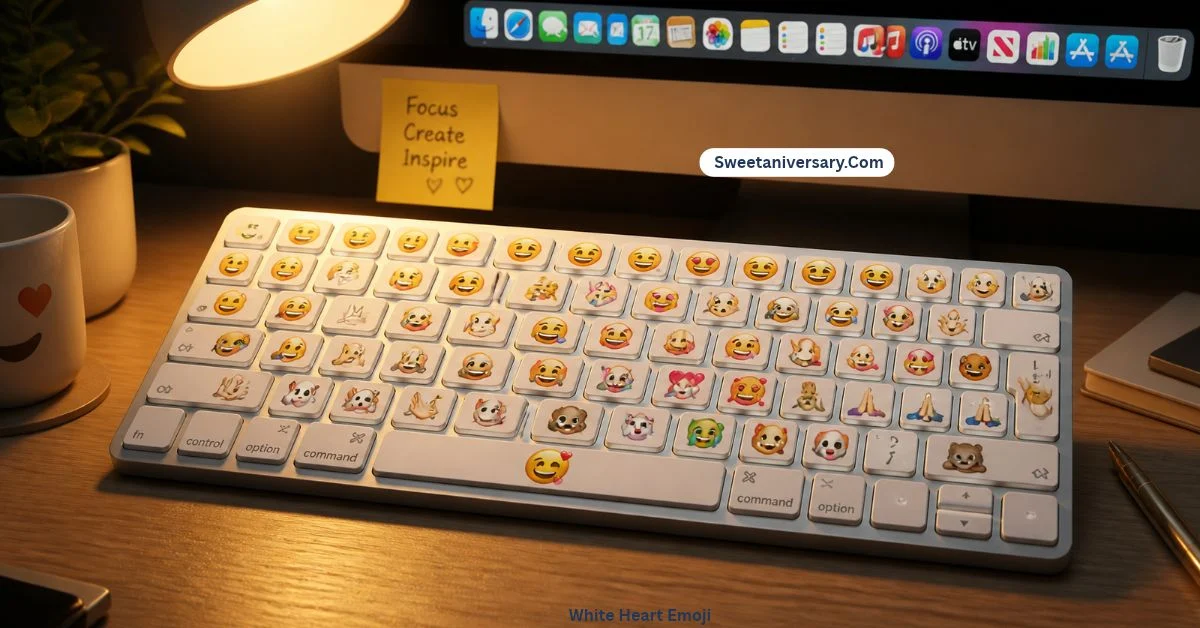
You’re one three-key shortcut away from turning any boring Mac message into something with actual feelings. 🎉
Picture this: you’re writing an email on your Mac, everything sounds painfully formal, and all you want is one little 👍 at the end to soften it. So you do what everyone does — pick up your phone, or Google “thumbs up emoji copy paste” like it’s 2012. I did this for months, until a coworker leaned over and said, “Just press Control, Command, and Space.” The emoji picker popped up instantly, like it had been hiding there the whole time. It had. Here’s everything that little panel can do.
What does emoji keyboard mac mean?
“Emoji keyboard Mac” simply means the emoji picker built into macOS, officially called the Character Viewer. It’s not a separate app or download — it’s part of the system, and it works in almost every program: Mail, Messages, Word, browsers, notes, and most third-party apps too.
Beyond emojis, the full viewer also hides arrows, currency signs, math symbols, and punctuation marks most people never knew existed. If you’ve ever needed a ©, a ™, or a ★ on a Mac, this is where they live.
How to use emoji keyboard mac emojis
The core routine takes two seconds:
- Click into any text field so your cursor is blinking.
- Press Control + Command + Space.
- The picker appears — scroll the categories or type a word like “heart,” “fire,” or “cat” in the search box.
- Click an emoji once, and it lands right where your cursor is.
More ways to work faster:
- Globe key: On newer Macs, pressing the 🌐 (Fn) key opens the same picker. You can change what this key does in System Settings → Keyboard.
- Menu route: Go to Edit → Emoji & Symbols in most apps for the same panel.
- Favorites: Expand the picker, hover over an emoji you use constantly, and add it to Favorites — your top picks will always be one click away.
- Recents: The picker remembers your latest emojis, which is perfect for your signature combos.
| Shortcut / Action | What it does |
|---|---|
| Control + Command + Space | Opens the emoji picker anywhere |
| 🌐 Globe / Fn key | Opens the picker on newer Macs |
| Edit → Emoji & Symbols | Menu way to open the viewer |
| Search box in picker | Finds emojis by keyword |
| Add to Favorites | Pins your most-used emojis |
Best emoji combinations for copy paste
Building a message on your Mac? These combos insert beautifully anywhere:
- 👍✅ — approval, “done and confirmed”
- 🎯📈 — goals and progress updates
- ☕💻🌙 — deep-work mode
- 🎉🥂✨ — celebrations and launches
- 🙏❤️ — warm thank-you messages
- 📌📅⏰ — planning and reminders
- 🔥💯 — hype replies in group chats
- 🌿☀️📸 — weekend photo captions
Pro tip: save your personal signature combo in Favorites, and it’ll feel like your Mac has its own emoji keyboard shortcut made just for you.
Aesthetic emoji ideas for social media
Here’s a secret behind polished-looking accounts: many creators draft their captions on a Mac first. The big screen makes it easy to style a caption properly before posting it to Instagram or TikTok, or sending it through WhatsApp Web.
- Build your aesthetic sets — like 🌸✨🦋 or 🖤🥀⛓️ — in a note, then reuse them whenever you post.
- Use the search box to find matching decorative symbols (★ ♡ ☾) that give captions that decorated, diary-like feel.
- Mix one emoji per line in bios and lists; it reads cleaner than emoji confetti.
Common problems and solutions
The shortcut does nothing. Another app may have claimed that key combo. Check System Settings → Keyboard → Keyboard Shortcuts for conflicts — and make sure your cursor is actually inside a text field when you press it.
The Globe key opens dictation or does nothing. Go to System Settings → Keyboard and set “Press 🌐 key to” → Show Emoji & Symbols.
Emojis appear as empty boxes in one app. The app is too old to render newer emojis. Update it — and update macOS too, since new emoji sets arrive with system updates.
The picker opens but emojis won’t insert. Click directly into the text area first, then double-click the emoji in the expanded Character Viewer.
You want the picker in the menu bar. In System Settings → Keyboard, enable “Show keyboard and emoji viewers in menu bar” — after that it’s one click, no shortcut needed.
Trending emoji usage in 2026
In 2026, Mac users live in a reactions-first world: work chats, iMessage tapbacks, and document comments all run on quick emoji responses, and Control + Command + Space is how desktop people keep up with phone-speed conversations.
New emoji also keep arriving through macOS updates — recent additions like the tired face with bags under its eyes, the harp, and the shovel appeared on Mac only after a system update, which is exactly why keeping macOS current matters for emoji fans. Meanwhile, the Favorites row has quietly become everyone’s personal emoji keyboard: five slots, zero searching, every message signed in your own style.
FAQs
What is the shortcut for the emoji keyboard on Mac?
Press Control + Command + Space while your cursor is in a text field. On newer Macs, the 🌐 Globe key works too.
How do I add emojis to my Mac menu bar?
Open System Settings → Keyboard and turn on “Show keyboard and emoji viewers in menu bar,” then click the icon at the top of your screen.
Why is my Mac emoji keyboard not popping up?
Usually a shortcut conflict or a missing text cursor. Click into a text field first, then check Keyboard Shortcuts settings for anything else using the same keys.
Can I save favorite emojis on Mac?
Yes — open the expanded Character Viewer, select an emoji, and choose “Add to Favorites” so it stays pinned at the top.
How do I type symbols like © or ™ on a Mac?
Open the Character Viewer with Control + Command + Space, expand it, and browse the Symbols sections — copyright, trademark, arrows, and currency signs are all there.
Conclusion:
The Emoji Keyboard Mac makes it easy to add fun, emotion, and personality to your messages, documents, and social media posts. Whether you’re chatting with friends, writing emails, or creating engaging content, macOS gives you a quick way to find and insert your favorite emojis.
From smiley faces 😄 and hearts ❤️ to creative symbols ✨, you can make every message more expressive with just a few clicks.
Ready to use emojis on your Mac like a pro? 🚀 Explore our easy guide to the Mac emoji keyboard, learn the handy keyboard shortcut, and discover simple tips for finding the perfect emoji in seconds.
Start using your favorite emojis today and make your digital conversations more colorful! 🎉🍎